Character Defaults
BlazeTracker lets you pre-configure starting state for both your persona and AI character cards. This means the tracker knows what to expect from the first message — no need to manually correct initial assumptions every new chat.
Persona Defaults
Click the 🔥 button in the Persona panel to configure your character’s defaults.

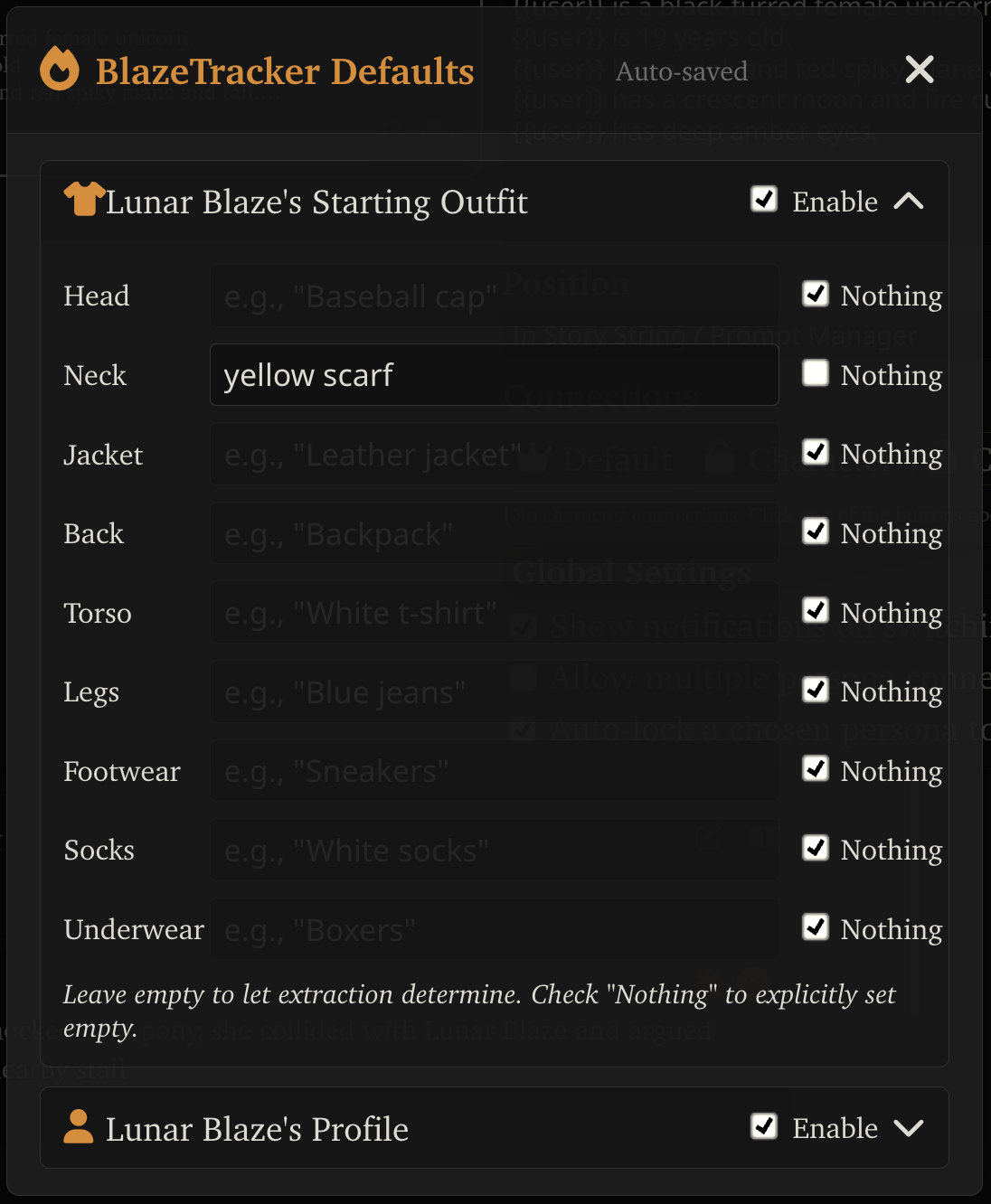
Starting Outfit
Set what your character is wearing by body slot:
| Slot | Examples |
|---|---|
| Head | Cap, headband, tiara |
| Neck | Necklace, scarf, choker |
| Jacket | Hoodie, blazer, coat |
| Back | Backpack, wings, cloak |
| Torso | T-shirt, blouse, tank top |
| Legs | Jeans, skirt, shorts |
| Underwear | Boxers, bra, panties |
| Socks | Ankle socks, thigh-highs |
| Footwear | Sneakers, boots, sandals |
For each slot:
- Enter text to specify what’s worn
- Check “Nothing” to explicitly mark a slot as empty (e.g., no socks)
- Leave blank to let extraction determine it from context
Profile
Set character details like sex, species, and other profile information.
Where Defaults Are Saved
Persona defaults are saved to BlazeTracker’s extension settings. They apply to all chats using this persona.
Character Card Defaults
Click the 🔥 button in the Character panel to configure an AI character’s defaults.
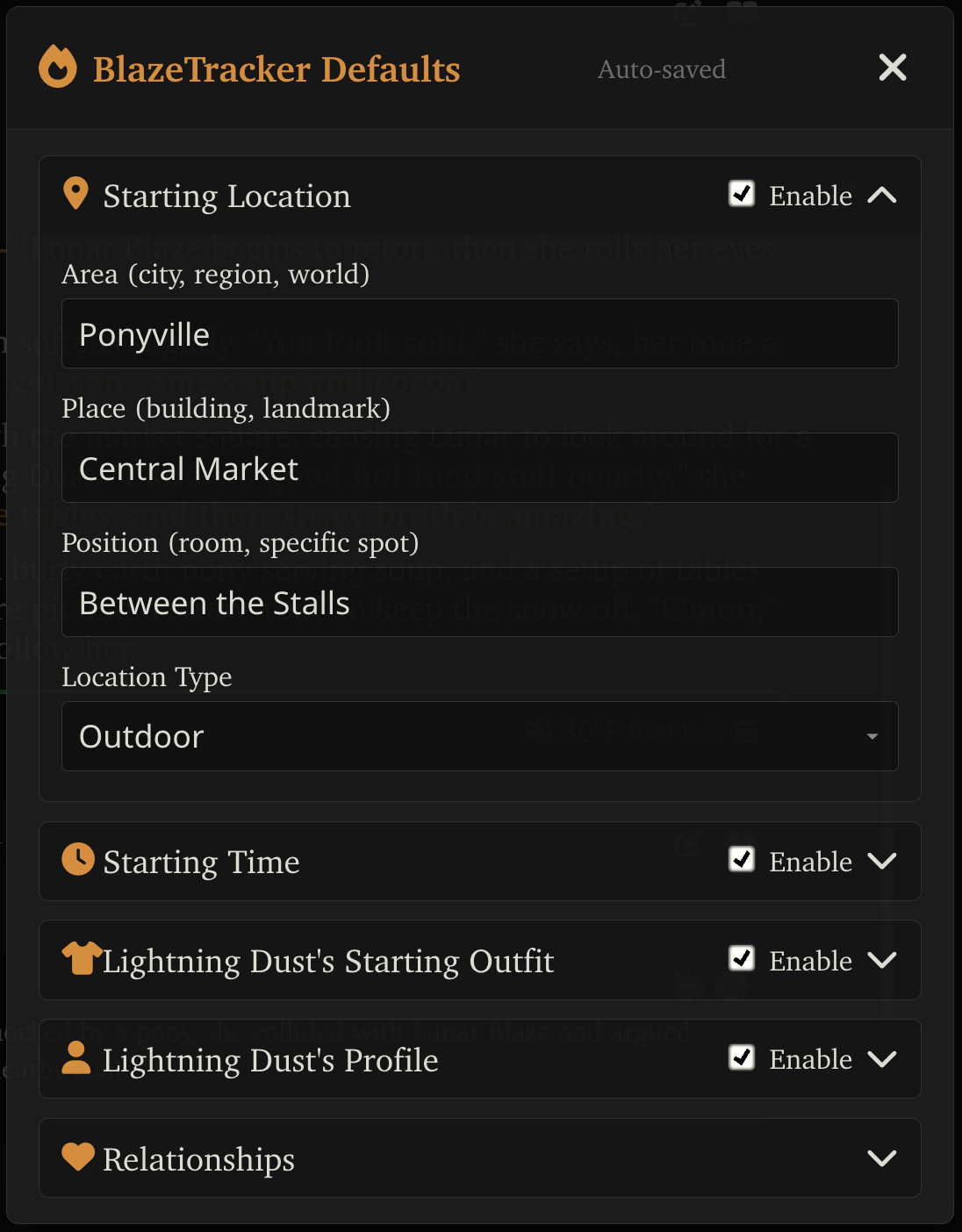
Starting Location
Set where the scene begins:
- Area — The broad region (e.g., “Mondstadt”, “New York”)
- Place — The specific location (e.g., “Angel’s Share tavern”, “Central Park”)
- Position — Where within the place (e.g., “At the bar counter”, “On the bench near the fountain”)
- Location Type — Indoor/outdoor classification for climate calculations (outdoor, modern, heated, unheated, underground, tent, vehicle)
Starting Time
Set when the scene begins. When provided, the time extraction LLM call is skipped entirely for the first message.
Starting Outfit
Same body slot system as personas. Set what the AI character is wearing at the start of the scene.
Profile
Character details like sex, species, age, and other information.
The Nicknames/AKAs field lets you pre-configure alternate names for the character. These are used for automatic name resolution during extraction — if a character is referred to by a pet name or alias, BlazeTracker can match it back to the correct character.
- Additive mode (default) — New AKAs from extraction are merged with existing ones
- Replace mode — If you edit AKAs in the snapshot editor, you can fully replace the list
Nicknames are also auto-extracted by the LLM: once at character appearance (from context clues) and periodically during extraction (every 8 messages) to catch in-RP pet names, shortened names, and aliases that develop over the story.
Relationships
Configure initial relationship states with other characters. Set starting status, feelings, secrets, and wants.
Where Defaults Are Saved
Character card defaults are saved to the character card’s extension data. This means:
- If you share the card with another BlazeTracker user, your defaults work for them automatically
- Non-BlazeTracker users simply ignore the extra data
- Defaults are tied to the card, not to BlazeTracker’s settings
How Defaults Merge with Extraction
Defaults don’t replace extraction — they provide a starting point:
- Absolute replacements (time, location) skip the LLM call entirely if provided
- Outfit defaults are used as the starting state, then extraction can modify them based on the first message
- Relationship defaults establish the initial relationship state before any extraction runs
This means you can set a character’s default outfit to “school uniform” and the tracker will start from there, only extracting changes when the character actually changes clothes.